Most people I talk to don’t have a spare room for an office. They work from a corner of their bedroom, a slice of the living room, or a desk wedged into an alcove. The assumption is that small space equals small productivity. That’s not how it works.
What actually happens is this: productive home workspace design for small spaces forces you to be intentional. You can’t afford clutter, poor lighting, or an awkward chair because there’s nowhere to hide from the consequences. The constraints become advantages—if you get the fundamentals right.
This guide covers what actually matters for small-space workspaces: location strategy, layout decisions, focus techniques, and workflow optimization. Not theory. Not Pinterest inspiration. Practical approaches that work in real apartments, real bedrooms, and real corners where people need to concentrate and get work done.
Whether you’re freelancing from a studio apartment, studying from your bedroom, or building a hybrid setup in a living room, this pillar page is the resource you’ll reference when something about your workspace isn’t working—and when you need to fix it without moving houses.
Table of Contents
What Makes a Workspace Productive in a Small Space?
Productivity in small spaces doesn’t mean doing more with less. It means removing friction, reducing decision fatigue, and creating conditions where focus feels natural rather than forced.
Three things matter most in a confined workspace:
- Focus – Your brain can concentrate when there’s minimal visual clutter and clear physical separation between work and rest. In a small space, this means intentional design choices, not larger square footage.
- Accessibility – Everything you need during work should be within arm’s reach. When your workspace is tight, poor organization creates constant micro-frustrations that drain energy. Good small-space design makes your most-used tools and materials obvious and reachable.
- Visual Clarity – Small rooms amplify the psychological impact of visual chaos. A single pile of papers, three phone chargers tangled together, or a chair from another project left nearby can feel overwhelming in a space where you see everything at once. Clarity isn’t aesthetic—it’s neurological.
Most small-space productivity failures happen because people ignore one of these three. They create separation but leave tools scattered. They organize materials but leave the desk visually cluttered. They add storage but make it hard to access what they actually use.
When all three work together—focused attention, accessible tools, and visual clarity—small spaces perform better than oversized offices because nothing is wasted. Everything serves the work.
1. Choosing the Right Location in a Small Home
Your workspace location determines everything that comes after: noise levels, interruptions, available light, and whether you can maintain psychological separation between work and rest.
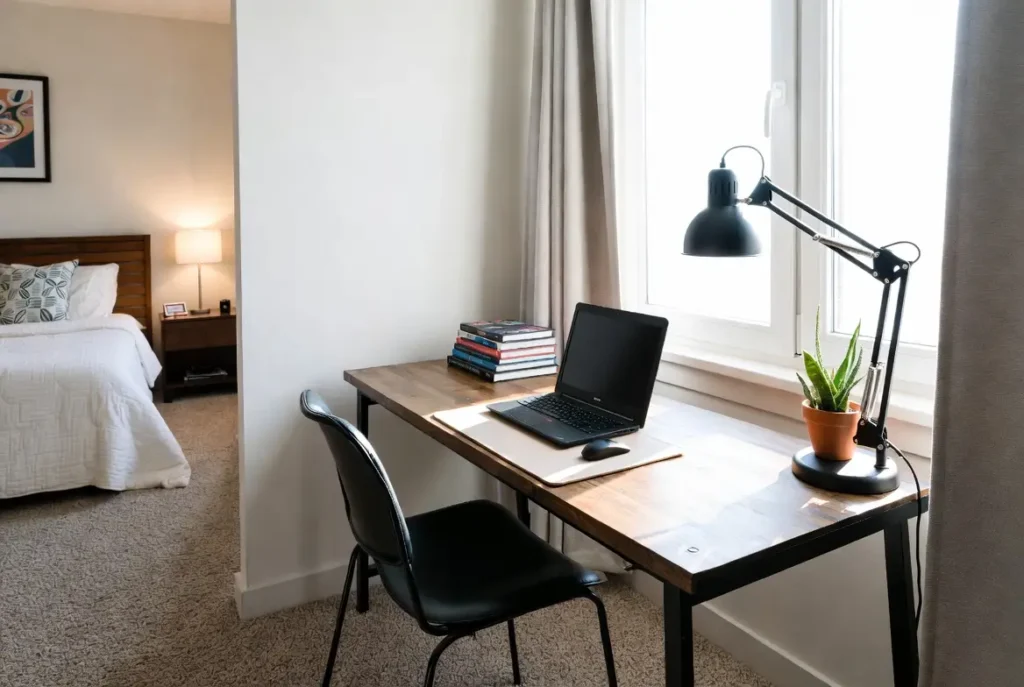
Bedroom workspaces win if you live alone or have a quiet household. You control the environment and can leave work visible without disturbing others. The risk: it’s hard to mentally switch off when your bed is ten feet away. If you choose the bedroom, create physical separation with a divider, curtain, or angled desk positioning. Many people find that their sleep actually improves when they define a specific work zone rather than spreading work across the whole room.
Living room or shared spaces work if you have defined hours, can create visual zoning, and don’t need extended quiet. The advantage is flexibility and light. The challenge is managing interruptions and feeling like you’re always “on display.” This setup requires stronger boundary-setting with housemates and more deliberate visual separation.
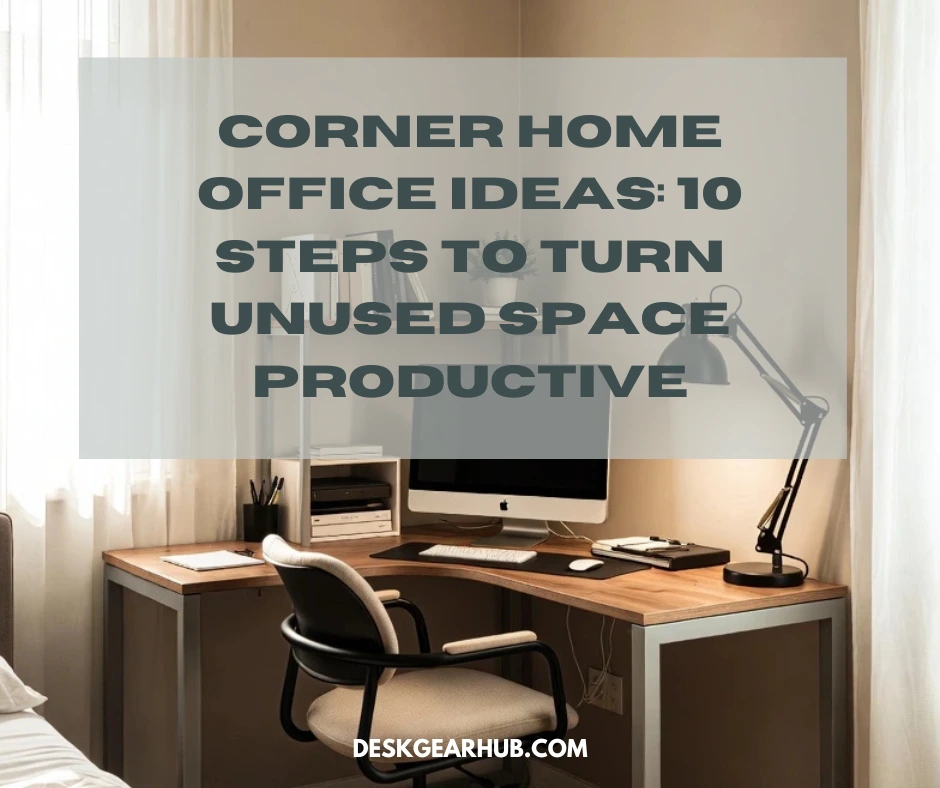
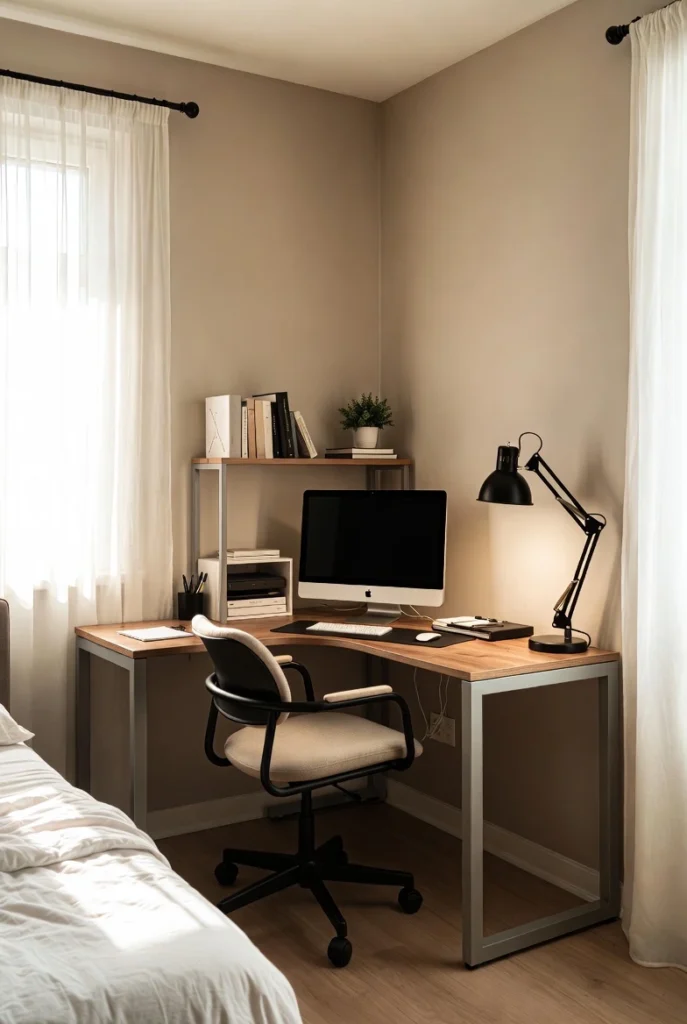
Corner setups are the underrated middle ground. A desk in a corner of any room gives you natural psychological separation (people don’t naturally look into corners) without requiring a whole room. Corners also provide two walls for mounting storage, blocking sight lines, and creating the feeling of an enclosed workspace. Many small-space setups work best when they embrace the corner rather than fight it.
Hallway alcoves, nooks under stairs, or unused closets seem extreme until you realize you only need about 3 feet of depth and 4 feet of width. These spaces are invisible to the rest of your home and automatically provide separation. They require good lighting and ventilation, but they solve the “where do I put this?” problem completely.
The location you choose determines your zoning strategy, lighting needs, and noise management approach. Choose based on your work style (collaborative or focused?), your household dynamics (shared or private?), and where natural light already exists. This decision shapes everything else.
2. Smart Layout Strategies for Small Workspaces
Layout is the skeleton of productivity. Get it wrong and even a perfectly furnished workspace will feel dysfunctional. Get it right and a tiny area becomes completely efficient.
Desk orientation matters more than desk size. Facing a wall feels cramped but forces focus—you’re not tempted to watch the room. Facing the room feels open but invites distraction. Angling your desk 45 degrees toward a corner gives you peripheral walls for support while keeping sight lines away from high-traffic areas. Test different angles over a week. Your instinct will shift once you experience the psychological impact.
Wall usage should be deliberate. Your walls are vertical real estate in a space where horizontal space is scarce. Use them for storage, lighting, cable management, and visual interest—but not for everything at once. Group wall-mounted items by function (work materials on one wall, personal items elsewhere). Leave breathing room. A wall packed floor-to-ceiling feels claustrophobic. A wall with intentional spacing feels organized.
Movement flow is invisible until it breaks. Can you stand up and move without hitting your chair? Can you walk to your water bottle without reaching over your keyboard? Can you open a drawer without blocking your desk? In small spaces, you move less distance but you move more frequently. Design for frictionless movement. This is where many small setups quietly fail—they save space in ways that make reaching, standing, and moving awkward.
Visual zoning creates invisible boundaries. Your brain responds to sight lines more than physical walls. If your desk faces a blank area or a shelf (rather than the rest of the room), your mind compartmentalizes “this is where work happens.” Paint an accent wall behind your desk. Position a tall shelf to block sight lines. Use a desk lamp that illuminates just your work surface. These visual cues tell your brain “you’re in work mode” without taking up actual space.
Real layout optimization takes testing. Take a weekend to try three different orientations. Notice where you feel distracted and where you feel focused. The layout that wins isn’t the most efficient—it’s the one that matches how your brain works.
If you want a step‑by‑step process, this 9-step small room workspace guide walks through designing a full layout from scratch.
3. Zoning and Separation Without Extra Rooms
Psychological zoning—the feeling that you’re in a distinct workspace—matters more than physical walls in small homes. Your brain separates activities through visual and spatial cues, not just doors.
Physical zoning uses actual barriers: a bookshelf perpendicular to your desk, a folding screen, or even a tall plant to create a visual divide. These don’t block sound or completely isolate you, but they tell your mind “this area is different.” In a small room, even a 4-foot shelf creates meaningful separation. It doesn’t have to wrap around you completely to work.
Visual zoning happens through lighting, color, and sight lines without adding furniture. A desk lamp that illuminates only your work surface creates a visual boundary. An accent wall behind your desk says “this is the focus area.” A rug under your desk defines the space without consuming floor room. These are almost free ways to segment your workspace psychologically.
Psychological zoning comes from ritual and consistency. Working at the same desk, at the same time, with the same setup trains your brain to shift into focus mode. When you close your laptop and move your mouse to a specific spot, you’re telling yourself “work is over.” In small spaces where you can’t physically leave your workspace, psychological zoning becomes essential.
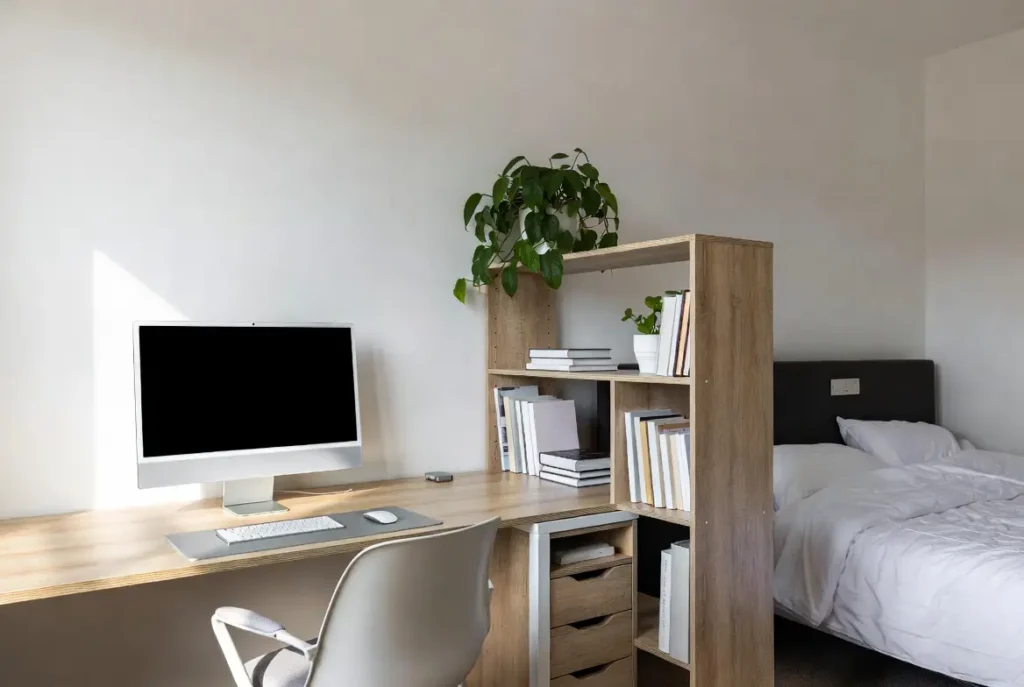
The mistake most people make is treating small spaces like they have to stay visually open. You can use curtains, dividers, and storage creatively without making the space feel smaller. A floor-to-ceiling curtain rod with a heavy linen curtain gives you on-demand separation—close it while you work, open it when you’re done. A tall shelf doesn’t make a small room feel cramped if it’s open and has breathing room around it. The key is intentional design, not maximum openness.
Space-Saving Furniture That Actually Works
In small workspaces, furniture selection determines whether your setup feels cramped or considered. Don’t optimize for the cheapest option or the smallest footprint alone—optimize for what you’ll actually use every day.
Desks should match your work type and body size, not the dimensions of your room. A surface that’s 36 inches deep is better than 24 inches even if it takes up more space, because shallow desks force everything forward and create neck strain. For depth, don’t compromise. For width, match your work: 48 inches is standard for a main workspace; 36 inches is tight but workable if you focus on one task at a time. If you need multiple monitors or materials visible simultaneously, go wider and accept that you’ll use a corner layout rather than spreading across the room.
Wall-mounted or floating desks save floor space and create a sense of openness, but check weight limits and your wall construction. A floating desk that sags or wobbles undermines focus. If you go floating, get quality brackets and secure them properly. The alternative—desk legs that are slim or open-frame rather than solid panels—gives you visual lightness without floating wall concerns.
Chairs deserve real investment in small spaces because you can’t afford an uncomfortable seating position day after day. A chair that forces bad posture creates pain that degrades work quality and makes you move around more. A proper office chair with adjustable height, back support, and adjustable arms fits small spaces if you choose a slim profile. Your chair height should let your feet sit flat with knees at 90 degrees and elbows resting naturally at 90 degrees. This doesn’t change in small spaces—the constraints stay the same.
Storage solutions should be vertical and functional, not decorative. Open shelving (not closed cabinets) feels less heavy in tight spaces. Modular or stackable storage lets you adapt as your needs change. Drawer organizers and shelf dividers prevent small spaces from devolving into visual chaos. The rule: everything visible should be intentional, and everything you use regularly should be accessible within your seated workspace.
Foldable or mobile furniture makes sense for dual-purpose spaces (a desk that tucks away when not in use, or a small cart that stores under your desk). But only if you’ll actually fold or move it. Furniture you never collapse defeats the purpose. Test a setup for three weeks before committing to pieces that require daily reconfiguration.
The furniture choice that matters most is getting the basics right—a desk at the correct height, a chair that supports your posture, and storage that keeps things accessible without overwhelming your visual field. Everything else is refinement.
Designing for Focus in Tight Spaces
Small spaces amplify every source of distraction. Visual clutter becomes a constant pull on attention. Noise from a nearby room travels differently in a confined space. Inadequate lighting creates eye strain that feels worse in close quarters. Focus in small spaces requires deliberate design countermeasures.
Visual clutter is the fastest focus killer in small spaces. Your brain processes the entire room when you glance away from your work. Papers, cables, extra items, and unmatched materials create cognitive load without you realizing it. Solution: everything that’s not part of your active workflow lives in closed storage or out of your direct sight line. Your visible workspace should contain only what you’re working on right now and your most-used tools. Everything else—notebooks, supplies, personal items—gets stored during work hours. This isn’t about perfectionism; it’s about reducing background noise your brain is processing.
Noise management in shared small spaces requires layering. You can’t eliminate sound, but you can reduce transfer and add competing sounds. A white noise machine, a fan, or lo-fi music masks disruptive sound. Soft materials (rug under the desk, wall-mounted acoustic panels, thick curtains) absorb rather than reflect sound. Noise-canceling headphones, even when you’re not listening to anything, create a psychological barrier. Most small-space workers use multiple layers rather than relying on one solution.
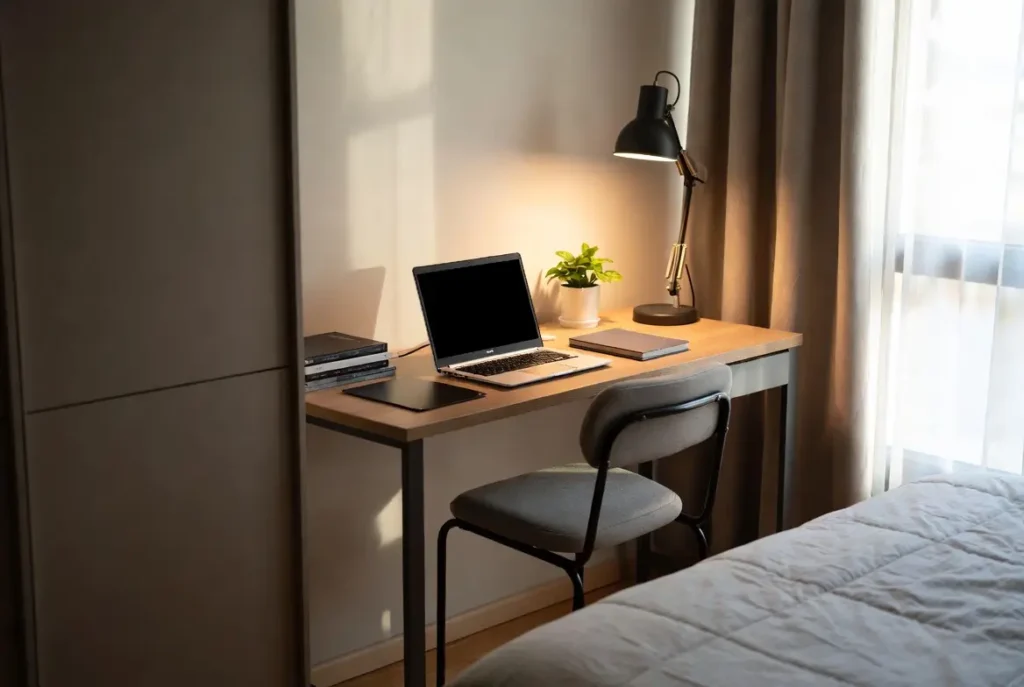
Lighting is non-negotiable in small workspaces. Poor lighting causes eye strain, which creates fatigue, which kills focus. Natural light is ideal, but angle matters—direct sun in your face or glare on your screen is worse than no sun at all. Use a task light on your desk (positioned to light your work, not shine in your eyes) as your baseline. Add ambient light in the room so you’re not creating high contrast between your bright workspace and dim surroundings. Test different light positions before settling on one.
Distractions beyond the workspace are harder to control in small homes. If someone else is watching TV in the room, you’re fighting cognitive load. If your bedroom is 10 feet away and you keep thinking about things you need to do there, focus fragments. The solution isn’t perfect isolation—it’s acknowledgment and design. Schedule focus work for times when your household is quiet, or use stronger psychological separation (headphones, a door if possible, or a commitment that your work hours are protected). This is collaborative negotiation with your household, not a design problem alone.
Real focus in small spaces comes from stacking small controls: clutter reduction, strategic lighting, sound management, and time-based boundaries. One change alone won’t be enough. All of them together create an environment where your attention naturally stays on the work.
Workflow Optimization in Small Workspaces
Workflow is the sequence of actions you repeat every day. In small spaces, workflow efficiency prevents the frustration that comes from constant reaching, searching, and rearranging.
Task flow is the order in which you actually work. Map your typical day: What do you reach for first? What materials must be visible versus what can stay in storage? Where does your hand naturally go for your most-used tool? Arrange your workspace around this flow, not around what looks good. If you reach for your phone 50 times a day, it shouldn’t be stored in a drawer that requires two hands to open. If you check references constantly, those materials should be immediately visible or immediately accessible, not buried in a shelf.
Access frequency determines placement. Items you use multiple times daily should be within arm’s reach of your seated position. Items you use weekly can be on a shelf nearby. Items you use monthly can be stored across the room. Items you use once a year shouldn’t consume prime workspace real estate. This is logistics thinking applied to small spaces—optimize based on actual use patterns, not on how the space looks when it’s organized.
Daily reset habits matter more in small spaces because you can’t escape the workspace during breaks or after work. A 2-minute reset ritual—filing papers, clearing your desk surface, organizing tomorrow’s materials—prevents small spaces from accumulating visual chaos. This isn’t cleaning. It’s intentional preparation for tomorrow. Many people find that this reset takes less time than they’d spend managing a messy workspace, and it creates a clear psychological boundary between work and rest time.
Transition rituals help your brain compartmentalize in a space where work and home overlap. When you finish work, close your laptop, and move it to a specific spot. Tidy your desk surface. Dim your task light. These aren’t obligations—they’re cues that tell your brain “work mode is over.” In small spaces where you never fully leave your workspace, these transitions become important for maintaining mental separation.
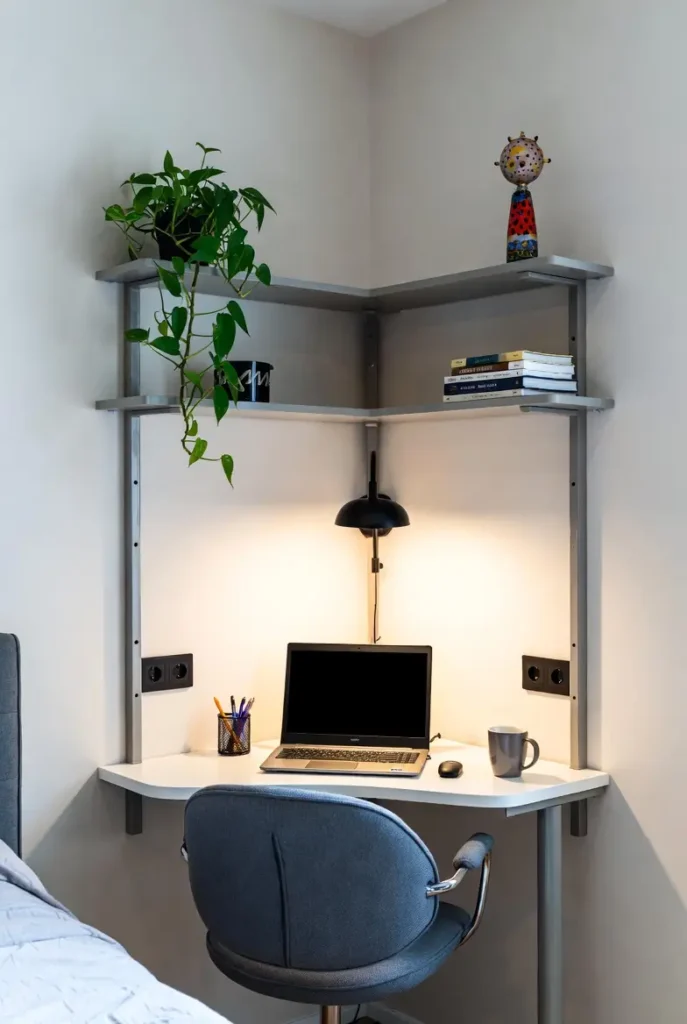
Small-space workflow optimization isn’t complex. It’s ruthlessly logical. Use what you use. Store what you don’t. Reset daily. The efficiency gain compounds because you’re eliminating thousands of small friction points across weeks and months of work.
Common Small Workspace Design Mistakes
Most small-space setup failures aren’t from lack of space—they’re from design decisions that ignore how small spaces actually work.
Overfurnishing is the most expensive mistake. People fill small spaces with “potential” furniture—a bookshelf they might use someday, a filing cabinet for documents they might organize, a side table for items that don’t exist yet. Every piece of furniture you add reduces usable space and increases visual weight. In a small room, each furniture item should earn its place through daily use. If you haven’t used it in a month, it’s taking up space from something you actually need.
Poor desk size choice undermines everything else. Desks that are too shallow force poor posture. Desks that are too narrow create visual clutter because materials have to stack vertically. Desks that are too small for your work create constant reorganization. Getting desk dimensions right is worth paying more for the right piece rather than settling for something undersized. You’ll use it 5-8 hours daily—spend real time on this choice.
Ignoring natural light creates fatigue and makes small spaces feel smaller. North-facing windows provide consistent non-glare light. South-facing windows create glare but offer steady illumination. East-facing windows bring morning energy but fade by afternoon. West-facing windows create intense afternoon heat and glare. Understanding your window situation and positioning your desk accordingly prevents eye strain and uses your space’s natural advantages.
No psychological separation is the slow killer. Working in a space where you sleep, relax, or eat creates constant context switching. Your brain never fully commits to focus because it’s simultaneously processing the bedroom or living room context. This is why corner setups and visual zoning matter—they tell your brain “this is different.” Spaces with zero separation eventually start feeling oppressive.
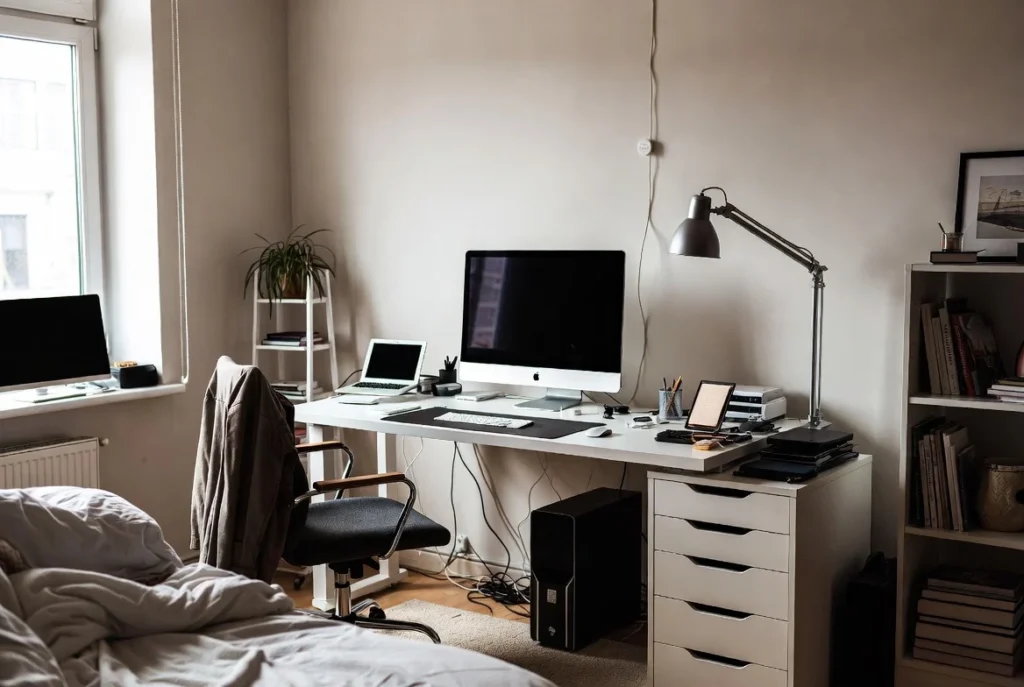
Ignoring cable management creates visual chaos that’s hard to recover from. Cables behind your desk shouldn’t be hidden from view (because then you can’t troubleshoot), but they should be organized and routed purposefully. A cable tray, clips, or even painter’s tape creates visual clarity. This is a 30-minute fix that changes how the entire workspace feels.
Acoustic underestimation defeats focus over time. If every sound from outside your workspace travels clearly into your concentration zone, you’ll eventually develop an unconscious tension response. Layered acoustic solutions—rugs, curtains, acoustic panels—don’t have to be expensive or obvious. They just have to work.
Lighting asymmetry causes eye strain. If one side of your desk is bright and the other dark, your eyes constantly adjust. If your screen is bright and your surroundings are dark, you’re creating high contrast that exhausts your visual system. Balanced lighting across your entire workspace prevents this slow depletion.
Most of these mistakes come from ignoring what actually matters in small spaces: focus, accessibility, and clarity. Fix the fundamentals first. Decorative choices come later.
Budget-Friendly Ways to Improve a Small Workspace
Not every improvement requires buying something new. The biggest productivity gains come from intentional changes that cost almost nothing.
Prioritize before buying. Identify what’s broken in your current setup. Are you distracted? Is your posture bad? Can’t find things? Is there visual clutter? Pick one problem and solve it thoroughly before moving to the next. Many people spend money haphazardly when the real need is to address fundamentals. A $10 desk organizer solves nothing if your actual problem is that your chair is too low and you’re straining your neck.
Low-cost improvements that work: Rearrange what you have (moving your desk to a corner costs nothing). Add a rug to define the space and absorb sound (often cheaper than new furniture). Use open shelving from what you own for better visibility and accessibility. Install floating shelves on an existing wall using proper anchors (under $50 in most cases). Add a simple desk lamp to improve task lighting (starts at $20). Hang a curtain divider to create psychological separation ($30-60). Create a cable organization system using clips and ties you probably already own. These compound—three small changes feel like a complete workspace upgrade without the cost.
When to invest versus when not to: Invest in a proper chair and desk—these are daily-use items that affect your physical health and focus. Invest in adequate lighting. Invest in tools that solve real workflow problems. Don’t invest in decorative items, trendy organizers that don’t match your actual workflow, or furniture you’re not sure about. Test solutions cheaply before committing to expensive versions. If you’re not sure whether you need a printer, use a print shop for three months before buying one.
The free changes: Lighting adjustment (repositioning your existing lamp). Desk orientation (trying different angles). Visual zoning using what you own (a shelf, a curtain, even stacked books). Cable rerouting. Decluttering (the most transformative change that costs nothing). Habit changes (the daily reset ritual, protecting focus time). Most of these require only attention and time.
Real workspace improvement doesn’t require extensive spending. It requires understanding what’s actually broken and fixing it systematically. Many people spend hundreds upgrading aesthetics when their real problem is solved with a $20 lamp and moving their desk three feet.
How to Adapt Your Workspace Over Time
Your workspace will change as your work changes. Remote-only becomes hybrid. A single project becomes multiple parallel projects. Your life situation shifts. Good small-space design accommodates evolution without requiring a complete overhaul.
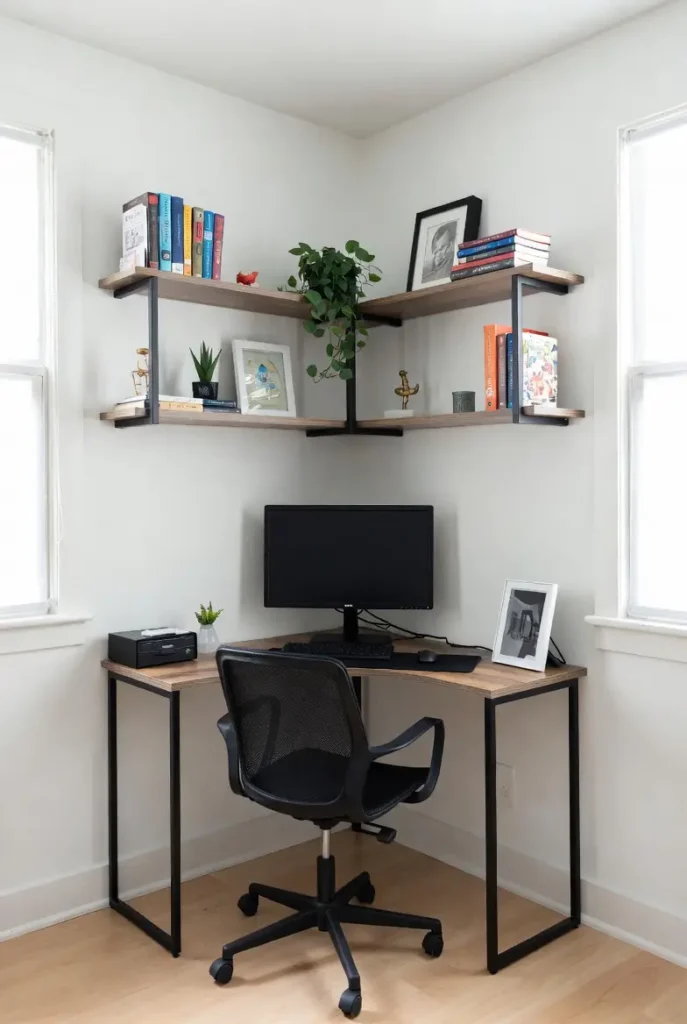
- Anticipate changing needs by building flexibility into fixed decisions. Furniture that can be rearranged beats furniture that locks you into one configuration. Storage that’s modular and stackable beats built-in solutions. Wall space stays flexible longer than furniture arrangements. If you’re designing for potential growth, add wall outlets during the initial setup even if you don’t need them immediately. These forward-thinking choices prevent expensive problems later.
- Remote-to-hybrid transitions require different zoning and noise management. If you’re suddenly in video calls, lighting becomes critical. If you’re alternating between home and office work, your setup doesn’t need to handle a full day of work simultaneously. Reconsider your desk size and storage footprint once you know how much time you’re actually working from home. Many people over-specify their home workspace for a situation that changed.
- Growth without clutter happens through ruthless material management and storage architecture. As projects accumulate, you need systems (not just surfaces) for organization. Before everything expands, establish filing systems, project-based storage, and archival solutions. This prevents the scenario where your small workspace becomes dysfunctional not from the space itself, but from accumulated materials with nowhere organized to live.
- Testing before permanent changes saves money and prevents setup regret. Before buying a new desk, borrow one for a week or work standing at a high table to test that height and position. Before committing to a zoning approach, use temporary solutions (curtains on clip rods, borrowed shelves) to see if it works. Small spaces require certainty because change has real cost—space-wise and financially. Test first.
- Seasonal adjustments matter in small spaces. Your winter setup might benefit from different lighting than summer. Noise sources change seasonally. Humidity affects what materials work best. Light angles shift throughout the year. Rather than fighting these seasonal changes, plan for them. Use removable solutions that you adjust rather than permanent ones you regret.
Real adaptation comes from monitoring what’s working and what isn’t, then making small adjustments rather than waiting for a breaking point. The best small-space workspaces evolve gradually based on actual experience rather than perfect planning.
Who This Guide Is For (and Who It’s Not)
This guide is for people who actually work from small spaces and need that space to function well. Not people who want inspiration for idealized home offices. Not people looking for aspirational design. If you have limited square footage and need to get real work done, this guide addresses your actual constraints and trade-offs.
This guide is for:
- Remote workers in apartments, studios, or shared housing
- Freelancers who work from bedrooms or corners
- Students working on coursework from limited spaces
- People working hybrid schedules who need compact setups
- Anyone who’s frustrated with generic advice that assumes spare rooms and unlimited space
This guide is not for:
- People designing a dream office with unlimited budget and space
- People who want aesthetics as the primary goal
- People looking for the “best” products or latest trends
- People who aren’t actually using their workspace regularly
- People who prefer quick fixes over systematic design
If you’re looking for practical, realistic solutions that work in real small homes with real constraints, read on. If you’re looking for Instagram-worthy inspiration or product recommendations, this isn’t the right resource. The approaches here prioritize function over appearance, testing over theory, and honest trade-offs over perfect solutions.
FAQ: Small-Space Home Workspaces
Conclusion
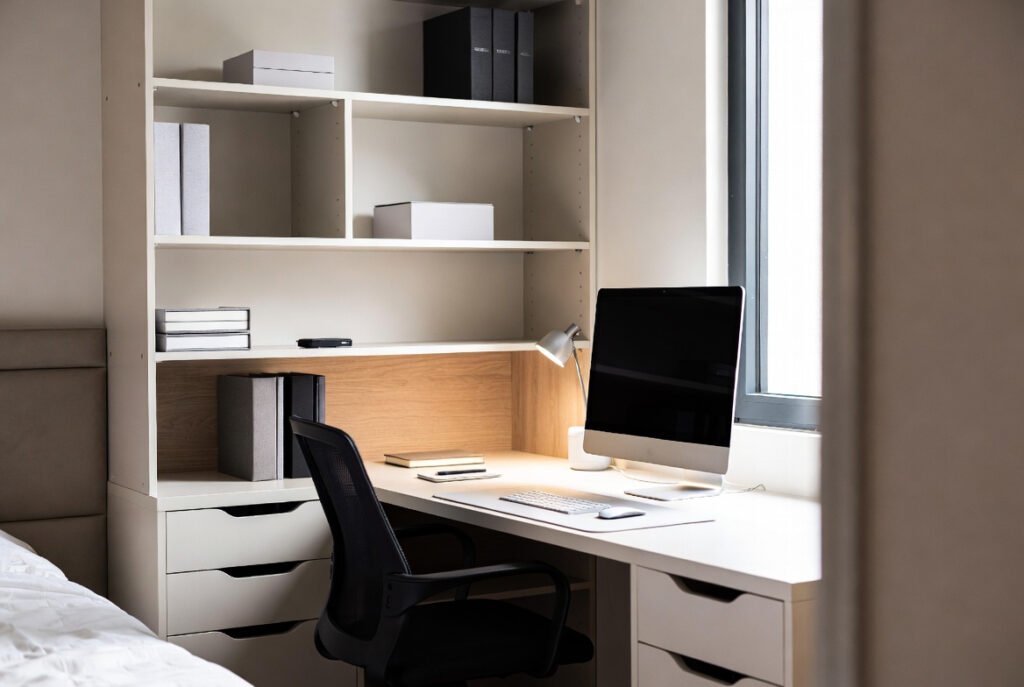
Small spaces don’t limit productivity—they clarify it. You can’t afford to waste desk area on items you don’t use. You can’t ignore noise or lighting because they’re magnified in close quarters. You can’t pretend that your physical setup doesn’t matter because you live in it constantly. These constraints force intentional design.
The workspace that works best isn’t the largest one. It’s the one where you understand exactly why each element is there, where focus feels natural rather than forced, and where you can accomplish real work without fighting your environment. Small spaces force you toward that clarity faster than oversized offices ever could.
Start with one change. Test it. Understand how it affects your focus and workflow. Then move to the next problem. This iterative approach—fixing fundamentals before refinements, testing before committing, and adapting as your needs change—is how small workspaces become genuinely productive.
The workspace you need is the one that disappears into the background, where you’re not constantly adjusting, reaching, or fighting your environment. That workspace is possible in small spaces. It just requires intention, testing, and realistic design choices that match how you actually work.
Explore the specific guides linked throughout—they dive deeper into location selection, layout strategies, zoning techniques, furniture choices, and workflow optimization. Each cluster article builds on the foundations you’ve learned here, giving you practical templates you can use immediately.
Your small space isn’t a limitation. It’s an opportunity to design something that works better than spaces that cost three times as much. Build it systematically. Test it honestly. Adjust it as you go. That’s how small-space workspaces win.