If Black Friday was about big furniture upgrades, Cyber Monday 2025 is your final window to snap up tech and tools that make your home office actually feel complete.
If you’ve already sorted out the basics like an adjustable standing desk and a decent chair, Cyber Monday is perfect for filling in the missing pieces: a reliable laptop, crisp monitor, and a printer that doesn’t make you want to throw it out the window. These are the “quiet” upgrades that turn a functional setup into one that genuinely supports focused, low-stress work.
According to Mayo Clinic, spending long hours sitting and staring at screens can increase back discomfort and fatigue if your setup isn’t dialed in properly, which is why screens, layout, and tools matter almost as much as your chair and desk.
In this guide, we’ll walk through a set of real Cyber Monday 2025 deals on laptops, monitors, and printers that can actually improve your day-to-day workflow not just your specs on paper.
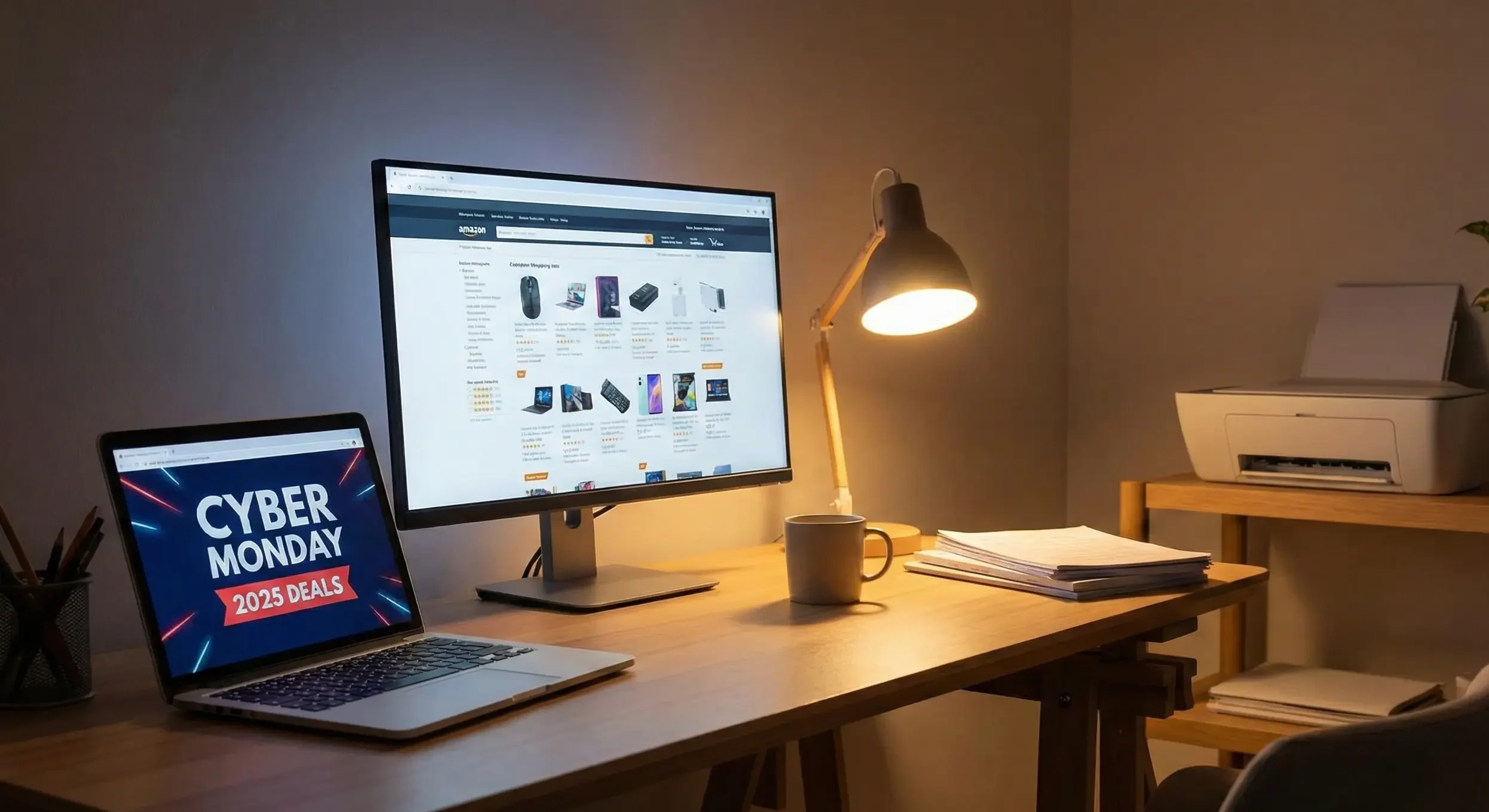
Table of Contents
Why You Might Need These Cyber Monday Upgrades
Most of us don’t upgrade gear until something breaks… or starts slowing us down so much that work becomes frustrating. If any of these sound familiar, Cyber Monday is the right time to fix them:
- Your laptop wheezes every time you open more than 5 tabs or join a video call.
- You’re squinting at a tiny screen all day, or hunched over a laptop.
- Printing is a nightmare—clogged ink, expensive cartridges, or a printer that always seems “offline.”
- You’re doing more from home: scanning contracts, printing labels, or working with creative assets that need accurate colors.
The right laptop, monitor, or printer doesn’t just look nice on your desk. It cuts tiny frictions out of your day: faster boot times, clearer screens, fewer “printer offline” errors, and better multitasking. Over time, that adds up to more energy for the work that actually matters.
What to Look for in Good Home Office Tech (Laptops, Monitors & Printers)
Even though these products are different, the decision-making process is similar. Here’s what to pay attention to while scrolling Cyber Monday pages.
1. For Laptops
- Processor & RAM: Look for modern Intel i5/i7 or equivalent and at least 16 GB RAM if you multitask or use heavy apps.
- Portability vs. Screen Size: A 14″ machine hits a nice balance between portability and workspace comfort.
- Ports & Connectivity: USB-C, HDMI, Wi‑Fi 6, and Bluetooth make it easier to hook into your wider setup.
- Upgradability: If you can upgrade RAM or storage later, it extends the life of your machine.
2. For Monitors
- Size & Resolution: 24–32″ is ideal for productivity; higher resolution (like 4K) gives more screen real estate.
- Panel Quality: Better color and contrast matter if you do creative work or long hours of reading.
- Refresh Rate: Higher refresh rates aren’t just for gaming—they make scrolling and window movement feel smoother.
- Mount Compatibility: VESA support lets you put the screen on a monitor arm and reclaim desk space.
3. For Printers
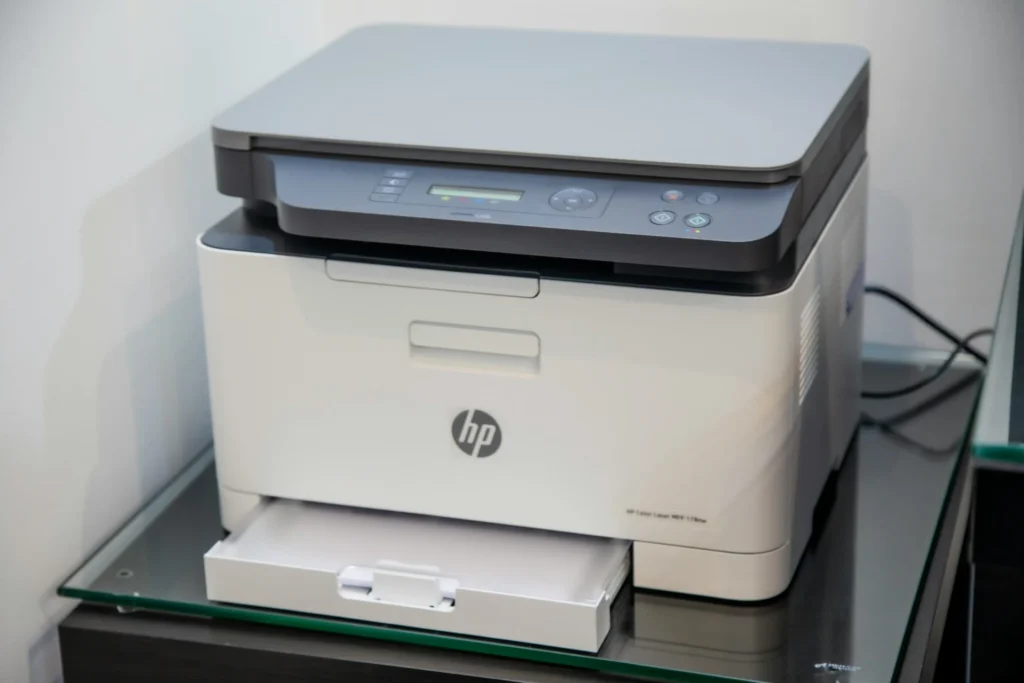
- Ongoing Ink/Toner Cost: This matters more than the printer’s upfront price. Ink tank and laser models often win long-term.
- Type of Work:
- Heavy document printing → laser
- Occasional color prints, photos, mixed use → inkjet or MegaTank
- Connectivity: Wi‑Fi, app printing, AirPrint, and scan-to-cloud make a huge difference in real life.
- Duty Cycle & Paper Capacity: If you print a lot, you want a machine built for higher monthly volumes.
Top Cyber Monday 2025 Home Office Deals (Tested & Reviewed Style)
Below are six strong Cyber Monday picks for different types of home offices. Think of this more as a friend walking you through options than a spec dump.
1. Lenovo 14″ G4 (Intel i7-13620H) — Best For: Power Users Who Still Need Portability
Price Range (Cyber Monday 2025): Mid to upper mid-range laptop deal (often discounted vs other i7 machines)
This Lenovo 14″ G4 with an Intel i7-13620H is basically a small workhorse laptop designed for people juggling lots of tabs, video calls, and heavier apps like Notion, Figma, or light editing. It packs proper power into a compact shell, which is ideal if you move between rooms, coworking spaces, or travel occasionally.
I really like 14″ laptops for remote work—they’re big enough to use alone in a café, but still feel great when docked into an external monitor at home.
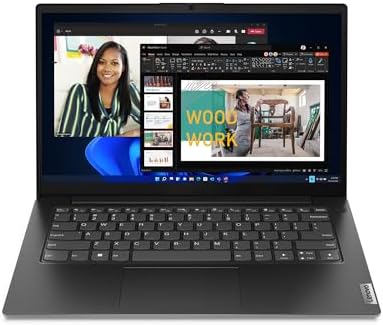
- A RELIABLE COMPANION WHEREVER YOU NEED ONE – Whether in the board room, airport, or office, the Lenovo V14 Gen 4 is buil…
- TAP INTO IMPROVED EVERYDAY PERFORMANCE – The Intel Core i7-13620H processor delivers powerful multitasking balanced by e…
- FUTURE-PROOF – Boost your computing power when and where you need it. Easily install an extra 8GB for up to 16GB total m…
What I Like:
- Snappy Intel i7-13620H CPU for real multitasking (many browser tabs, calls, plus apps).
- 14″ size is a sweet spot between travel-friendly and comfortable.
- Typically good port selection for docks, monitors, and peripherals.
- Great base for a “one machine everywhere” setup: at the desk and on the couch.
What Could Be Better:
- Overkill if you only do email, basic docs, and streaming.
- Heavier workloads will still want plenty of RAM and SSD—watch configurations carefully.
- Integrated graphics are fine for office work but not high-end 3D.
Bottom Line: Ideal if you want one main computer for both home office and on-the-go work, and hate being slowed down by your machine when you’re on deadlines.
2. ASUS ROG Swift PG32UCDM — Best For: Creators & Power Users Who Want a 4K Centerpiece
Price Range (Cyber Monday 2025): Premium monitor, but Cyber Monday often knocks a meaningful chunk off
The ASUS ROG Swift PG32UCDM is technically positioned as a gaming monitor, but that’s not the whole story. For creators, developers, and anyone who stares at a screen for 8–10 hours a day, a high-quality large display can genuinely make work more enjoyable and less fatiguing.
A 32″ 4K panel gives you loads of real estate for spreadsheets, timelines, code editors, and side-by-side windows. You can have multiple apps visible without feeling cramped, which is a huge win if you’re juggling tasks.

- 32-inch 4K (3840 x 2160) QD-OLED gaming monitor with 240 Hz refresh rate and 0.03 ms (GTG) response time for immersive g…
- Highly efficient custom heatsink, advanced airflow design, and graphene film for better heat management to reduce the ri…
- VESA DisplayHDR 400 True Black compliance, 99% DCI-P3 gamut, true 10-bit, and Delta E < 2 color difference for astonishi...
What I Like:
- Massive 32″ screen = true “command center” feeling for your home office.
- 4K resolution means crisp text and plenty of space for multi-window workflows.
- Gaming-level spec usually translates to excellent responsiveness and smooth scrolling.
- Great if you split time between work, creative projects, and some gaming after hours.
What Could Be Better:
- Absolutely overkill if you’re just checking email and writing documents.
- Demands a deeper desk and some distance; not ideal for tiny spaces.
- Premium price, even on sale—this is an intentional “treat yourself” upgrade.
3. Sceptre 24.5″ C255B-FWT240 — Best For: Budget-Friendly, Smooth Monitor Upgrade
Price Range (Cyber Monday 2025): Very budget-friendly, often with aggressive discounts
This Sceptre 24.5″ display is one of those sleeper upgrades: it’s not flashy like a 32″ 4K OLED, but it’s a huge step up from a laptop-only setup. You get a bigger canvas for your work, smoother motion, and an easy way to keep multiple windows open.
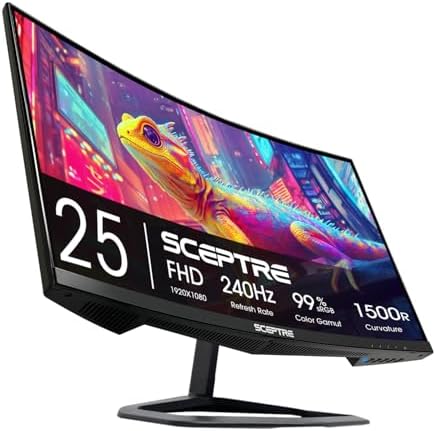
- 240Hz Refresh Rate: Stay above the pack with 240Hz, giving you an edge in performance as frames transition instantly.Spe…
- 1ms Response Time: Colors fade and illuminate instantly with a 1ms response time, eliminating ghosting and piecing toget…
- 1500R Curvature: The 1500R degree curved design immerses you into all of the action no matter where you choose to sit in…
What I Like:
- 24.5″ is a great size for smaller desks or shared spaces.
- High refresh rate makes scrolling and mouse movement feel super smooth.
- Often significantly cheaper than 27–32″ options, especially on Cyber Monday.
- Built-in speakers can be handy if you’re trying to keep your setup minimal.
What Could Be Better:
- Lower resolution than 4K—still fine for most office work.
- Not ideal for color-critical creative work.
- Curvature or gaming aesthetic may not fit every minimalist office vibe.
Bottom Line: A fantastic first external monitor if you’re coming from just a laptop, especially in a small room or on a student budget.
4. Canon PIXMA G3270 MegaTank — Best For: Color Printing on a Budget (Long-Term Ink Savings)
Price Range (Cyber Monday 2025): Entry-to-mid range upfront, but big savings in ink costs over time
The Canon PIXMA G3270 is a MegaTank all-in-one inkjet designed to keep ink costs low. Instead of cartridges, it uses refillable tanks, and Canon rates it for up to 6,000 black and 7,700 color pages from a single set of bottles. That’s huge if you print regularly—labels, worksheets, color docs, or occasional photos.
PCMag calls it a solid fit for home and small office users who want low running costs and don’t mind some trade-offs like manual duplex printing and modest paper capacity.

- Wireless Print/Copy/Scan
- Up to 2 years of ink included (2)
- Print up to 6,000 black & white / 7,700 color pages using a single set of inks! (1)
What I Like:
- MegaTank system dramatically lowers cost per page vs standard cartridges.
- Wireless printing and mobile app support make it easy to print from laptop or phone.
- Great for mixed use: schoolwork, invoices, color handouts, light photo prints.
- Compact enough to live on a shelf or side table.
What Could Be Better:
- Single paper tray with limited capacity (100 sheets means more frequent refills if you print a lot).
- Manual duplex (you flip the pages yourself) can be a bit of a hassle.
- Not the fastest printer—better suited to steady, moderate printing than huge runs.
Bottom Line: Ideal if you’re tired of paying absurd prices for cartridges and want a home office color printer that’s cheap to run, not just cheap to buy.
5. HP Wireless Inkjet (Model 6W7F5A) — Best For: Simple, Occasional Home Printing
Price Range (Cyber Monday 2025): Budget-friendly inkjet deal
This HP wireless inkjet (model ending in 6W7F5A) lands in the “I just need a decent printer that works” category: great for households or small home offices with light to moderate printing needs. Think boarding passes, return labels, schoolwork, and occasional documents.
It’s a compact, all-in-one style device with wireless connectivity—enough to handle day-to-day tasks without turning your living room into a print shop.

- The DeskJet 2827e is perfect for homes printing to-do lists, letters, financial documents and recipes. Print speeds up t…
- PERFECTLY FORMATTED PRINTS WITH HP AI – Print web pages and emails with precision—no wasted pages or awkward layouts; HP…
- KEY FEATURES – Color printing, copy, scan, and a 60-sheet input tray
What I Like:
- Compact footprint—easy to tuck onto a shelf or side table.
- Wireless printing so you don’t have to plug in your laptop every time.
- Good match for people who print a few pages here and there, not daily stacks.
- Typically very affordable on Cyber Monday.
What Could Be Better:
- Traditional cartridges can get expensive if you print a lot (ink tanks or lasers are better for heavy use).
- Not designed for very high-volume document printing.
- Basic build, more “appliance” than long-term workhorse.
Bottom Line: A good starter printer if you’re setting up your first home office, don’t print constantly, and just want something simple that connects easily and works.
6. HP Color LaserJet Pro MFP 3301sdw — Best For: Serious Home Offices & Small Teams
Price Range (Cyber Monday 2025): Upper mid-range printer, often heavily discounted for businesses
The HP Color LaserJet Pro MFP 3301sdw is a color laser all‑in‑one built for real work: printing, scanning, and copying at higher volumes. HP positions it for small work teams, with speeds up to around 25–26 pages per minute, automatic two-sided printing, and a duty cycle up to 40,000 pages per month.
If your home office has turned into a mini office for consulting, freelancing, or running a small business, this type of printer can actually keep up.

- FROM AMERICA’S MOST TRUSTED PRINTER BRAND – Perfect for small teams printing, scanning and copying professional-quality …
- PROFESSIONAL PRODUCTIVITY – Proficiency with every print—next-generation TerraJet toner brings your business to life wit…
- ORIGINAL HP TONER CARTRIDGES – This HP printer uses Original HP 218A standard and 218X high yield LaserJet toner cartrid…
What I Like:
- Fast, sharp color laser printing that looks professional on reports, proposals, and marketing material.
- Built for heavier monthly volumes—no feeling like you’re “pushing” a tiny home printer too hard.
- Strong wireless and Ethernet options plus HP app support for mobile printing.
- Automatic duplex printing saves paper and time.
What Could Be Better:
- Larger and heavier than typical home inkjets—needs a dedicated spot.
- Toner costs more upfront, though cost per page is usually reasonable.
- Overkill if you only print a handful of pages each month.
Bottom Line: A fantastic choice if your home office is essentially your business base and you need fast, reliable, professional-looking output without babying your printer.
Which Cyber Monday Deal Matches Your Home Office?
Let’s keep this simple. Here’s how these picks line up for different types of readers:
- On a Budget / Just Starting Out
- Best Picks:
- Sceptre 24.5″ Monitor
- HP Wireless Inkjet (6W7F5A)
- Why: You get a bigger screen and basic printing without overspending. Perfect for students, early-career remote workers, or small spaces.
- Best Picks:
- Everyday Remote Worker (Sweet Spot)
- Best Picks:
- Lenovo 14″ G4 (i7) as your main machine
- Sceptre 24.5″ or a mid-sized monitor
- Canon PIXMA G3270 MegaTank for cheap color printing
- Why: Solid performance, usable screen space, and low ink costs if you print regularly—without going full “corporate IT budget.”
- Best Picks:
- Heavy-Duty / Small Business at Home
- Best Picks:
- Lenovo 14″ G4 + ASUS ROG Swift PG32UCDM as your workstation combo
- HP Color LaserJet Pro MFP 3301sdw for serious printing and scanning
- Why: You get a powerhouse desk setup with enough print capacity and speed to handle invoices, reports, proposals, and more.
- Best Picks:
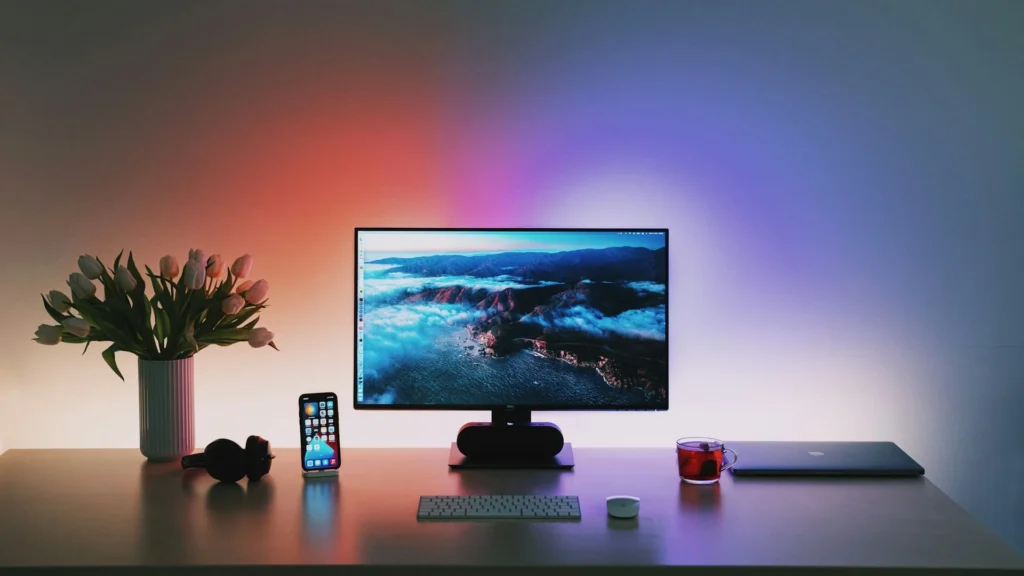
Final Thoughts: Use Cyber Monday to Fix Daily Friction, Not Just Chase Specs
The biggest mistake people make during Cyber Monday is buying cool tech instead of the right tech.
A powerful laptop that cuts your render time in half or a monitor that finally stops your evening eye strain will quietly improve your life all year. A well-chosen printer can mean no more late-night “ink cartridge empty” emergencies when you’re trying to ship something or send a signed contract.
If you haven’t fixed the basics yet, start with the foundation—your chair and adjustable standing desk—because prolonged sitting and poor posture really do increase back pain and fatigue over time. Once that’s in place, deals like these laptops, monitors, and printers are the perfect way to round out a workspace that helps you work better, not just harder.
Choose the one or two upgrades that would remove the most friction from your daily work, and let Cyber Monday 2025 do the rest on price.