You know that feeling when your back starts hurting around 11 a.m., and by 2 p.m. you’re wondering why you can’t focus? I used to think I was just bad at working from home. Turns out, my desk setup was sabotaging me the whole time.
Here’s what nobody tells you about small home offices: the same small home office mistakes repeat in cramped bedroom corners and apartment nooks everywhere. I’ve made most of them myself (RIP to the “cute” chair that destroyed my lower back in 2020). The thing is, when you’re working with maybe 50 square feet, one wrong choice doesn’t just waste space—it makes every single workday harder than it needs to be.
So let’s talk about the productive home workspace design for small spaces mistakes that are probably making your life miserable right now, and what you can actually do about them without needing a bigger apartment or a massive budget.
1. Buying Furniture That Looked Good in the Store But Doesn’t Actually Work
I’m gonna be honest—this mistake cost me about $400 and three months of neck pain before I finally admitted I’d screwed up.
Here’s what happens with desks that are too small: You can’t position your keyboard and mouse properly. Your monitor ends up so close you’re squinting by lunchtime. Papers? Forget about it—they’re stacked on top of other papers because there’s literally nowhere else. Researchers have actually measured this stuff, and they found that desks under 24 inches deep pretty much force you into postures that wreck your neck and shoulders.
But going too big creates its own nightmare. A massive desk in a 10×10 room makes the whole space feel like you’re working in a closet. Plus you need around 30 inches behind your chair just to push it back and stand up without doing some weird sideways shuffle. Most people don’t think about that until after the desk arrives.
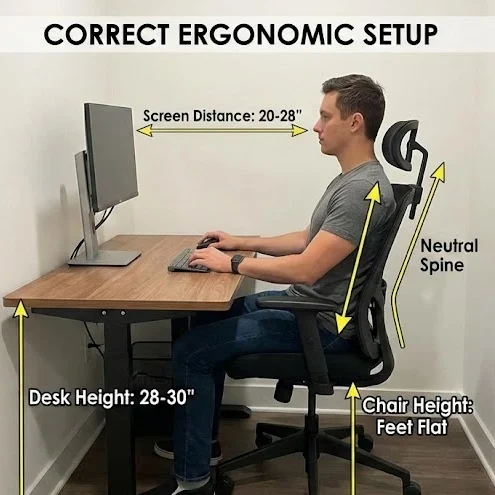
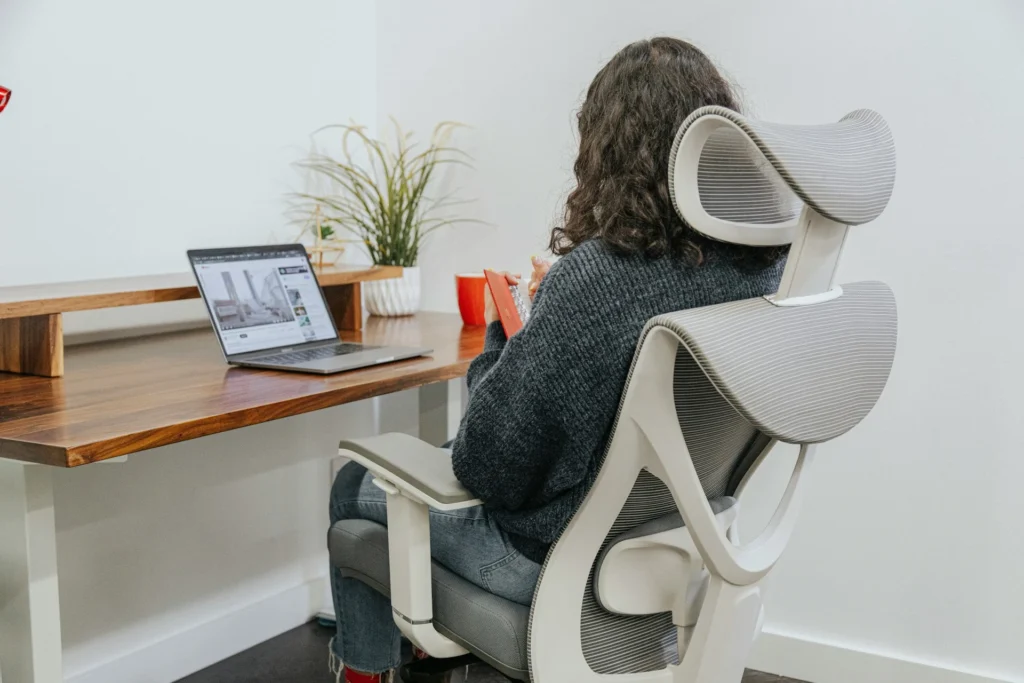
Then there’s the chair situation. Look, I get it—spending $300 on a chair feels ridiculous when you can get something for $79. I made that exact choice. That $79 chair is now in a landfill somewhere, and I eventually spent the $300 anyway after my chiropractor stopped being polite about my “workspace choices.”
Cheap chairs don’t adjust the ways your body actually needs them to. The height range is terrible. The seat depth is fixed (which means the edge digs into the back of your knees if you’re short, or you’re perched on the front edge if you’re tall). The lumbar support is basically decorative.
What you actually need in a chair:
- Height adjustment with real range—at least 5 inches
- A seat that doesn’t cut off circulation to your legs
- Lumbar support that hits YOUR lower back, not some theoretical average person’s back
- Armrests you can adjust or remove (because if your desk is low and the armrests don’t go down far enough, you’re stuck)
My current setup, after learning all this the hard way? A desk that’s 53 inches wide and 28 inches deep. It fits in my small office without overwhelming it, and I can actually use it comfortably. The chair took me three tries to get right, but now I can work for hours without wanting to set everything on fire.
The boring answer is: measure first. Your space, yes, but also your body. Sit down and measure your elbow height. That tells you how high your desk surface needs to be. Most people land somewhere around 48-55 inches wide and 24-30 inches deep for their desk. Pair it with a chair that actually adjusts, and you’re already ahead of probably 60% of home office setups.
2. Treating Lighting Like an Afterthought (And Then Wondering Why Your Eyes Hurt)
Can we talk about how many people set up their entire desk, get everything perfect, and then just… use whatever light happens to be in the room already?
I did this in my first apartment office. One sad overhead bulb and vibes. By 3 p.m. every day I had a headache and couldn’t figure out why. Spoiler: it was the lighting. It’s always the lighting.
The thing is, one light source—any light source—is not enough. Overhead light by itself creates these harsh shadows that make looking at your screen genuinely uncomfortable. A desk lamp alone means the rest of your space is dim, so you get this awful contrast situation that your eyes hate.
The mistakes I see constantly:
Desk facing a window. Seems nice, right? Natural light! Except now your screen has glare all day and you’re squinting at a washed-out monitor until sunset.
Or the opposite—desk with the window behind it, so you’re staring at a backlit screen for eight hours. Your monitor becomes a dark rectangle and your eyes are doing SO much work to compensate.
Then there’s the desk lamp directly behind or above your monitor, which just bounces light straight into your face off the screen. Why do we do this to ourselves?
Some people skip task lighting entirely if they don’t have windows, which is how you end up working in what basically feels like a cave.
Here’s what I learned after working in a basement apartment with exactly one tiny window for three years: natural light genuinely matters for your mood and energy. The difference between my dungeon office and my current space with real windows is dramatic. But you can’t just have a window and call it done.
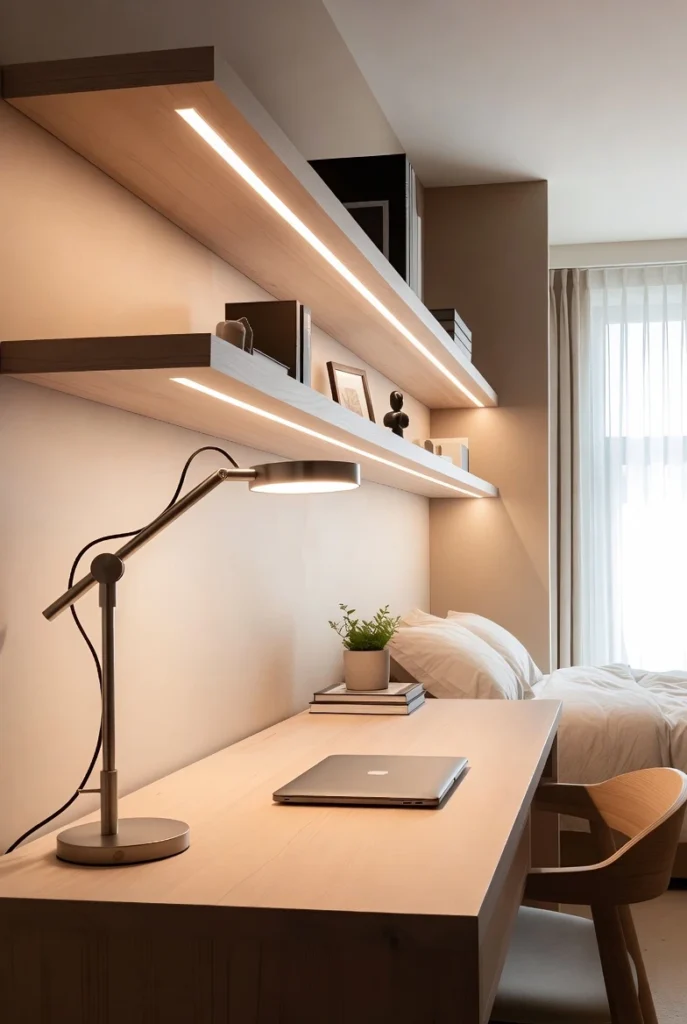
What actually works is positioning your desk perpendicular to windows when you can. Light comes from the side, no glare on your screen, everyone wins. Then you layer your lighting—natural light plus overhead ambient light plus a desk lamp. The desk lamp should go on the opposite side from your dominant hand (I’m right-handed so mine’s on the left) at about a 45-degree angle. This prevents shadows on whatever you’re working on.
If you’re stuck in a space with limited natural light, get bulbs in the 3500-4000K range for your desk area. Not the harsh blue ones, not the dim yellow ones—somewhere in the middle for actual focused work.
3. Shoving Everything Against the Walls Because “Small Space Logic”
This one makes total sense on paper. You have a tiny room, so naturally you push all the furniture to the edges to maximize floor space. I’ve done it. You’ve probably done it. It feels responsible and space-efficient.
It also makes your office feel weirdly claustrophobic and way less functional than it could be.
When your desk is crammed into a corner or pressed flat against a wall, you lose all flexibility. You’re stuck in exactly one position, staring at drywall for your entire workday (great for mental health, super inspiring). There’s no room to adjust your setup when something’s uncomfortable. Need to spread out papers for a project? Too bad, there’s a wall there.
Here’s the workflow nightmare nobody warns you about: Your desk ends up against one wall. Fine. But then your filing cabinet has to go behind you because there’s nowhere else. The printer ends up on a different wall or maybe in another room entirely. So now you’re constantly getting up, spinning around, walking across the room, sitting back down. Over and over.
There’s actually research on this—poorly planned furniture placement in work spaces can waste 10-15 minutes every single hour just in unnecessary movement and searching for stuff. That’s not even counting the mental disruption every time you break focus.
I fought this for months in my current place before I finally moved my desk about 18 inches away from the wall. The difference was immediate. Suddenly I could actually move my chair, I had a sight line that wasn’t just beige paint, and somehow the whole room felt bigger even though I technically reduced the floor space.
If you’ve got a truly tiny area—like we’re talking a bedroom corner in a studio—an L-shaped corner setup can work really well. You’re using that corner effectively, but you’ve still got different zones for different tasks instead of everything smushed into one cramped spot.
The goal isn’t to have tons of empty floor space. The goal is to have space that actually functions for the way you work.
![[[IMAGE: Small home office with desk floated away from wall showing improved flow and space perception - Alt text: Home workspace design showing desk positioned away from wall for better workflow and spatial organization]]](https://deskgearhub.com/wp-content/uploads/2026/01/small-home-office-layout-mistakes-wall-crammed-edited.webp "small-home-office-layout-mistakes-wall-crammed")
4. Convincing Yourself “It’s Fine” When Your Body Is Literally Telling You It’s Not
“It’s just temporary.” “I’ll upgrade eventually.” “It’s not that bad.”
These are lies we tell ourselves while our necks and shoulders slowly turn into concrete.
Whether you’re working from a makeshift desk in your bedroom, a corner of the kitchen table, or that weird alcove in your hallway, if you’re spending multiple hours there every day, your setup matters. Calling it temporary doesn’t make your spine care less about ergonomics.
The laptop disaster: This is probably the worst offender. Just using a laptop by itself, nothing else, for your entire workday. The screen is too low—you’re looking down constantly. Your shoulders hunch forward to reach the keyboard. Your wrists are bent at angles they were never meant to sustain for hours.
The American Occupational Therapy Association started tracking this when remote work exploded, and they found exactly what you’d expect: neck problems, shoulder problems, wrist problems, all skyrocketing among people working from home. The common denominator? Laptop-only setups with terrible positioning.
Monitor height is weirdly critical. Your screen should be roughly an arm’s length away, with the top at or just below eye level. Mount it too low and you’re doing that head-down thing all day (which is how you get neck strain). Too high and you’re tilting back (also neck strain, different muscles). If you wear progressive or bifocal glasses, you might need it even lower so you’re not constantly tipping your head to see through the right part of your lenses.
Your wrists and forearms matter too. Contact stress sounds technical, but it just means resting your wrists or forearms on hard edges for long periods. If your desk has a sharp front edge and you’re resting on it all day, you’re compressing nerves and blood vessels. This is fixable—padding the edge or getting a wrist rest makes a real difference.
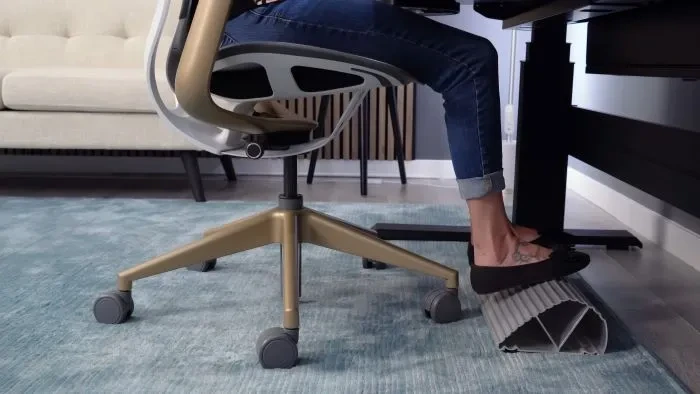
What actually works: If you’re using a laptop as your main computer, you need an external keyboard and mouse. Not optional. Then prop your laptop up on a stand or a stack of books to get the screen at eye level. Make sure your chair height lets your elbows sit at 90 degrees or slightly more when you’re typing. Feet flat on the floor, or on a footrest if you’re short like me and your feet dangle.
This isn’t perfectionism or being picky. These are the basics that determine whether you can comfortably work from home for years or whether you’re looking at chronic pain that gets progressively worse.
5. Letting Work and Life Become the Same Blob of Space (And Wondering Why You’re Always Stressed)
This one’s subtle but it’ll mess you up over time.
When your workspace just kind of bleeds into your living space with no real boundary, your brain never fully commits to work mode. Or rest mode. You end up in this weird half-state all the time where you’re never really working well and never really relaxing either.
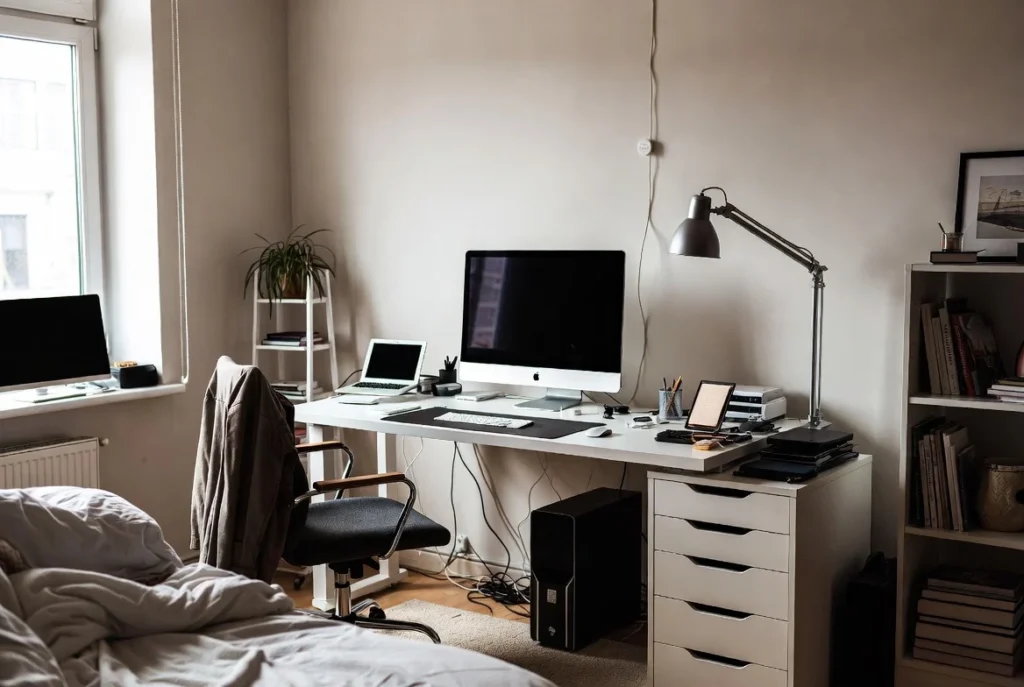
I see this hit people in studios or shared bedrooms the hardest. Your desk is also where you eat dinner. Or it’s in the corner of your bedroom where you can see it from your bed—and it’s staring at you with tomorrow’s unfinished tasks while you’re trying to fall asleep. There’s no mental off-switch anywhere.
The “always on” trap: Without clear zones, work just… expands into everything. You answer emails while still in bed because your laptop’s right there. You stress about a deadline while you’re cooking because your desk is five feet away and you can see all the stuff you didn’t finish. You never get that clean feeling of being done for the day.
Over months and years, this doesn’t just hurt productivity—it genuinely damages your well-being. I’ve talked to people who moved their desk out of their bedroom and said it changed their sleep within a week. Same apartment, same square footage, but their brain could finally separate “sleep place” from “work place.”
What helps: Create boundaries even when you have almost no space to work with. A room divider, a bookshelf turned sideways, even a different rug under your desk area can signal “this is the work zone” to your brain. If your desk absolutely has to be in your bedroom, use a folding screen or a curtain to hide it when you’re done working.
Some people find that a small ritual does the trick—putting your laptop in a drawer, covering your keyboard with a cloth, closing a specific notebook. Something that marks the end of work time even when the physical space stays the same.
Your living space should feel like your space, not like you’re camping out in your office 24/7.
6. Ignoring Storage Until You’re Drowning in Stuff
This mistake sneaks up on you. Month one, your desk looks fine. Month three, you can’t find anything, your desktop is buried under papers, and somehow your office supplies have migrated to three different rooms.
Clutter isn’t just annoying to look at—there’s actual research showing that disorganized workspaces measurably reduce your focus and increase stress. Your brain is constantly processing all that visual chaos even when you’re trying to concentrate on something else.
The storage mistakes I see everywhere:
Storing stuff under your desk seems smart until you realize you’ve blocked your leg room and you can’t actually move your chair anymore.
Having no designated home for the things you use constantly—pens, notepads, chargers, headphones—so they just live on your desk surface permanently, taking up space you need for actual work.
Putting storage too far away. If your file cabinet is in another room, you’re never going to file anything. It’ll sit in a pile on your desk instead because getting up and walking to another room feels like too much effort 47 times a day.
Buying organizers because they’re cute or cheap without thinking about whether they actually fit what you need to store. I have a drawer full of cute containers that don’t hold the right things. They mocked me daily until I finally donated them.
What actually helps: Go vertical. Wall-mounted shelves, pegboards, floating storage—all of this keeps your desk surface clear while using minimal floor space. Keep the stuff you use multiple times a day within arm’s reach of your chair. Everything else needs a home, but it can be a home that’s just “close enough that you’ll actually put it away.”
Desktop organizers work well for small stuff like pens and clips, but you can overdo it. Too many containers on your desk just becomes different clutter. The goal is clear surfaces where you can actually work, not a desk covered in organizational systems.
7. Setting Up Your Space Like You’re Gonna Sit Still for Eight Hours (Spoiler: You Shouldn’t)
Even if your ergonomics are perfect, sitting in the same position all day will mess you up. Your body literally needs to move. But most small workspace setups accidentally trap you in one position from 9 to 5.
I used to pride myself on “focus”—sitting for three hour stretches without getting up. Then my back started hurting constantly and I realized I was just being stubborn and dumb, not productive.
The sitting problem: No matter how good your chair is, no matter how perfect your posture, staying still for hours reduces circulation, makes everything stiff, and your brain gets foggy. Yet most home offices have zero accommodation for movement built into them. You’ve got one chair, one desk height, one position. That’s it.
What’s helped me: Having options for position changes, even small ones. I put a laptop stand on top of a bookshelf, and now I can work standing up for parts of my day when I need to. I didn’t buy an expensive standing desk (because I don’t have room or budget for that). I just created one standing-height surface where I can take my laptop for 20-30 minutes when my back needs a break.
You don’t need fancy equipment. You just need the ability to occasionally not be sitting.
The other thing that actually makes a difference: setting reminders for micro-breaks. Every 30-60 minutes, stand up. Stretch. Walk to get water. Look at something across the room or out a window for 20 seconds (this is the 20-20-20 rule for preventing eye strain—every 20 minutes, look at something 20 feet away for 20 seconds).
These breaks feel like they’d waste time, but they don’t. I’m way more focused in the 30 minutes after a two-minute break than I am after grinding through 90 minutes straight. Your brain needs the reset.
How to Avoid Mistakes in Home Office Design: Actually Plan Before You Buy Stuff
Want to know the common thread through all these mistakes? They happen when you just react instead of planning.
You need a desk, so you buy a desk. Your back hurts, so you buy a chair. Nothing fits together, the workflow is chaos, and six months later you’re replacing half of it anyway.
Before you buy anything or start moving furniture around, just take ten minutes to think through your setup:
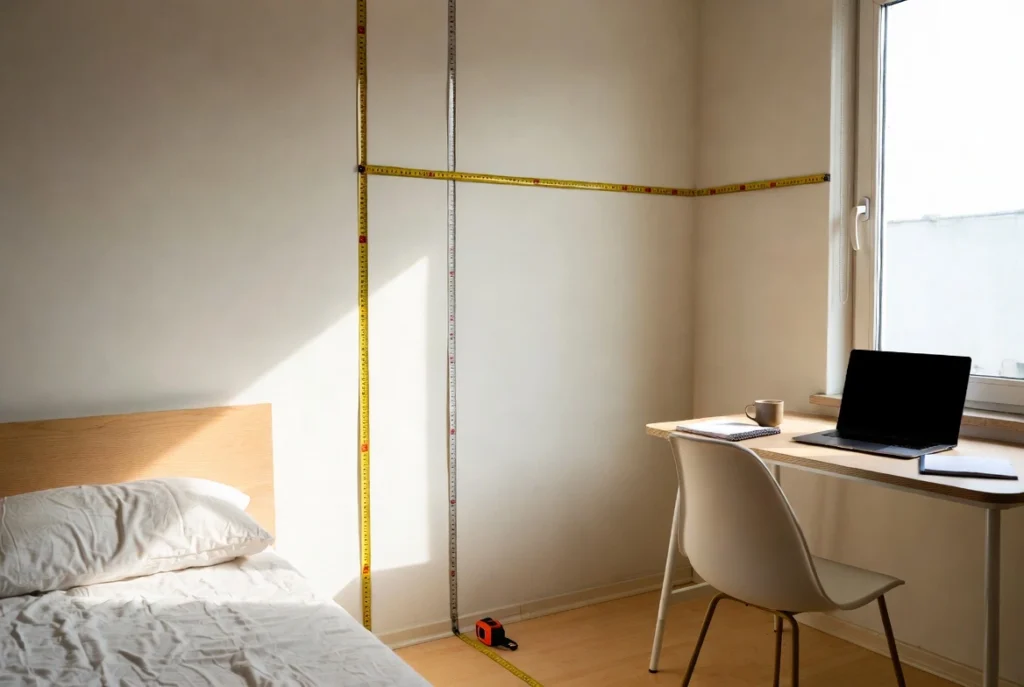
Measure stuff. Your room, yes. But also yourself. Sit down and measure how high your elbows are—this tells you exactly how high your desk surface needs to be for comfortable typing. Measure your eye level for monitor height. Know where your electrical outlets are. Know where natural light comes from and when.
Think about what you actually do all day. Are you on Zoom calls constantly? You need a spot where the lighting is good and the background isn’t your unmade bed. Do you work mostly on a computer, or do you need space to spread out papers? Are you writing code, designing graphics, managing spreadsheets? Your actual tasks should determine your furniture and layout, not the other way around.
Pick your priorities. You can’t optimize for everything in a small space—there’s not enough room. So decide what matters most. Maybe ergonomic seating is non-negotiable for you. Maybe natural light is critical. Maybe you need serious storage capacity. Build around your top two or three priorities and let the other stuff be good enough.
Test things before you commit. Use boxes to mock up desk height. Put tape on the floor to mark out the footprint of furniture you’re considering. Sit in your space at different times of day to see how the light changes. I know this sounds extra, but drilling holes in walls or spending $500 on furniture only to realize it doesn’t work is way more annoying.
Adjust as you go. Your first attempt won’t be perfect. That’s fine. Pay attention to what causes you discomfort or slows you down, then make small changes. Sometimes moving your monitor two inches to the left or angling your desk slightly makes everything suddenly work better.
The goal isn’t creating some Instagram-perfect workspace. The goal is setting up a space that supports your actual work and doesn’t actively fight against your body for eight hours a day.
Small Fixes, Big Difference
Look, these common home office mistakes are everywhere because they’re genuinely easy to make. You’re trying to fit a functional workspace into whatever space you have available, often on a budget, often in a hurry. You don’t have time to research desk depths and lumbar support and lighting angles. I get it.
But here’s the thing—once you know what to look for, most of these problems are pretty straightforward to fix. You don’t need to throw out everything and start over.
Start with whatever’s bothering you most right now. Is it your neck? Adjust your monitor height today. Is it the lighting giving you headaches? Add a desk lamp this week. Is your laptop setup killing your shoulders? Order a cheap external keyboard.
You don’t have to fix everything at once. You probably can’t, actually, unless you’ve got unlimited budget and space (and if you do, I’m jealous).
Your workspace should make your day easier, not harder. When the basics are right—furniture that fits your body and your space, lighting that doesn’t hurt your eyes, a setup that lets you move a little, storage that actually stores things—focus comes more naturally. You’re not constantly fighting discomfort or hunting for stuff or dealing with glare or getting up and walking across the room 47 times.
Take five minutes right now and look at your workspace. Really look at it. Which of these mistakes are you making? Pick one thing—literally just one—to improve this week.
Your back will thank you. Your focus will thank you. And honestly, your future self will thank you for not waiting until the pain gets bad enough that you have no choice but to fix it.